AgentMoves Team
June 15, 2026
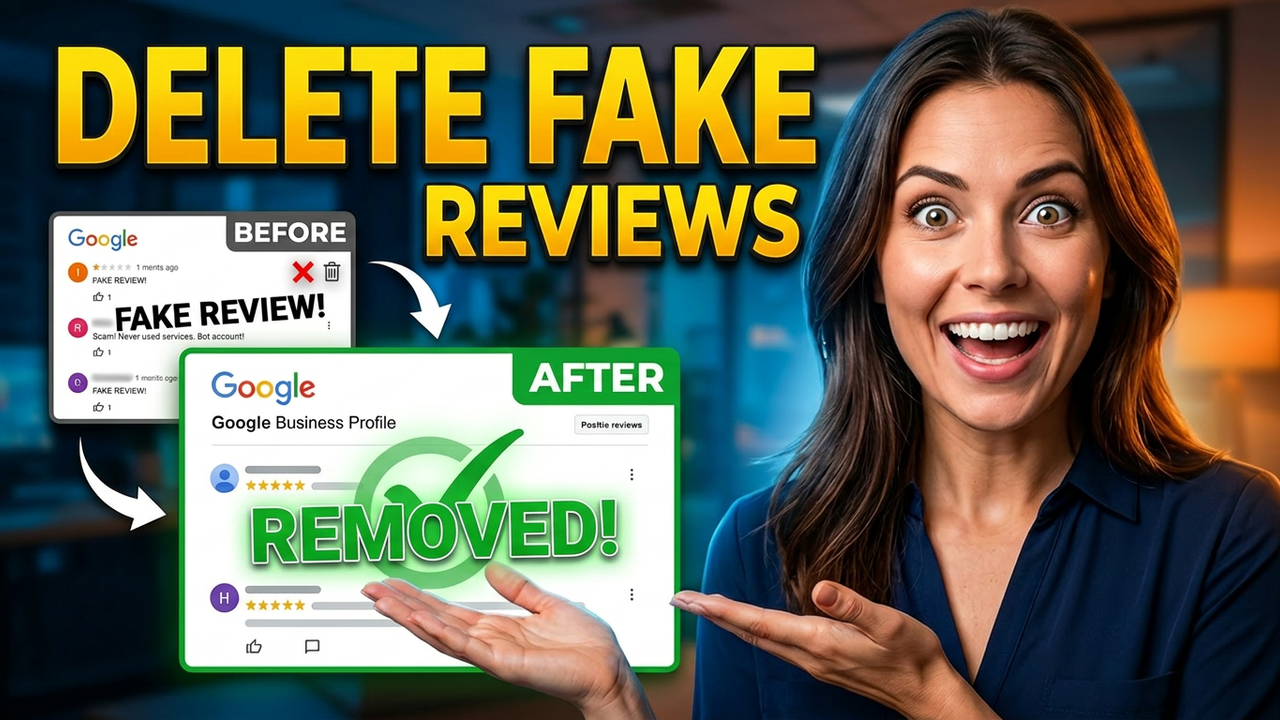
One negative Google review sits on your profile right now, and every buyer or seller who searches your name sees it before they ever see your track record, your sold listings, or your five-star majority.
The problem is not just the review. It is that most agents handle it wrong -- and Google's rejection makes the whole thing feel impossible.
It is not impossible. But it requires a specific system. Here is exactly what works, what does not, and how to automate the first layer of your defense so you are not starting from scratch every time.
Why Most Removal Requests Fail
The single most common mistake agents make is submitting a removal request because they disagree with a review. They think the review is unfair. They know the reviewer is wrong. They are frustrated. So they flag it.
Google denies it.
Here is why. Google does not remove reviews simply because they are negative or because a business owner disputes them. Google only acts when a review violates one of their content policies. If your removal request does not clearly identify a specific policy violation and back it up with evidence, it will be rejected -- every time.
The goal is not to express frustration. The goal is to build a case.
The Four Types of Reviews Google Will Actually Remove
Before you touch the removal tool, you need to know whether your review qualifies. There are four categories Google acts on.
1. Fake or spam reviews
This covers reviews from people who were never your customer, accounts that appear to be overseas or bot-generated, and reviews that contain promotional content like phone numbers or links. Google treats spam seriously and will remove it when it is properly categorized and reported.
2. Conflict of interest
Former employees, current employees, competitors, and business partners all fall into this category. These reviews frequently violate Google's policies and are among the most commonly removed once properly documented.
3. Harassment, hate speech, or explicit content
Threats, discriminatory language, explicit content, and sexual content are clear-cut policy violations and are strong candidates for removal.
4. Off-topic content
If a review is clearly not about an actual experience with your business -- it references the wrong business, a completely unrelated incident, or a person who has no connection to your services -- that qualifies as off-topic and is reportable.
If your review does not fall into one of these four categories, a removal request is unlikely to succeed. A better strategy in that case is a professional, public response combined with a proactive push for new five-star reviews to shift the overall profile score.
Build Your Evidence File Before You Do Anything Else
This is the step most agents skip, and it is why they get stuck.
Google wants documentation. Before you submit a removal request, gather the proof that supports your case.
For a fake or spam review: Pull your CRM records, booking history, and email threads showing no record of this person as a client. If they were never in your pipeline, your system should be able to show that.
For a conflict of interest: Gather employment records, screenshots of the reviewer's public profile showing their affiliation, and any documentation of the relationship.
For harassment or hate speech: Screenshot the review and clearly highlight the language that violates Google's policy. Be specific about which policy it violates when you write your submission.
Coming to this process without documentation is the equivalent of walking into a dispute without any evidence. The system works -- but only if you come prepared.
The Four-Step Removal Process
This process comes directly from Google's official Business Profile support documentation. Follow these steps in order.
Step 1: Flag the review in your Google Business Profile
Go to your Business Profile dashboard. Click "Read Reviews." Next to the review you want to report, click the flag icon. Select your reason -- Spam, Profanity, or whichever policy violation applies -- and hit "Send Report."
Step 2: Check the Reviews Management Tool after three business days
This tool is not widely known, so bookmark it. After three business days, log in, locate your business, and check the status of your reported review. You will see one of three statuses: Decision Pending, No Policy Violation Found, or Review Removed.
Step 3: Appeal if denied
If Google denies your request, do not stop there. Go back to the Reviews Management Tool, select "Check the status of a review I reported previously," and click "Appeal eligible reviews" at the bottom of the screen. Select the review, click through to submit your appeal, and fill out the form in detail.
This is where your evidence file becomes critical. Write a clear, factual explanation of exactly which policy the review violates. Reference the policy by name. Describe your evidence. Stay direct and unemotional.
After submitting, you will receive a Case ID. Write it down immediately. You will need it for the next step.
Step 4: Escalate to the Google Business Profile Community
If the appeal is also denied, your final option is the Google Business Profile Community forum. Post your case with your Case ID included. This forum is moderated by third-party experts who do not work for Google, which means you get an independent review of whether the content actually violates policy.
If the moderators agree that a violation exists, they can escalate directly to Google on your behalf and advocate for a second review of the decision. Most business owners do not know this step exists, which means it is one of the most underused tools available.
The AI-Powered First Layer: GHL Spam Detection
If you are running on GoHighLevel -- whether through AgentMoves or your own account -- there is a built-in feature that handles the first layer of this defense automatically.
The Spam Detection feature inside Reputation Management scans every incoming Google and Facebook review and flags anything that matches spam patterns. Once a review is flagged:
- It is filtered out of your review widget on your website and funnels
- It no longer appears in your GHL dashboard overview
- Your AI reply bot will not respond to it
That last point matters more than most agents realize. Automated responses to fake or spam reviews draw attention to the content and signal to searchers that a legitimate dispute is happening. Spam detection prevents that entirely.
You can also manually flag or unflag any review if the system makes an error. The control stays with you.
To enable it: go to Reputation in your left sidebar, click Settings at the top, select Spam Reviews on the left, toggle the feature on, and save.
One critical thing to understand: this feature does not remove the review from Google. It protects your internal systems and your AI automation while the review is still live. Removing it from Google requires the four-step process outlined above.
Think of it as two layers working together. GHL spam detection is your immediate defense. The Google removal process is how you close it out permanently.
What AgentMoves Clients Get
For agents on AgentMoves, spam detection setup is part of what we handle. We configure your Reputation Management system, make sure your AI bot is protected from engaging with junk reviews, and walk you through the removal process when a review qualifies for flagging.
If you are part of a KW market center or High Impact Marketing Community, reach out and ask us about getting this configured for your account.
And if you want the full removal process managed -- evidence gathering, submission, appeal, escalation -- that is a service we provide directly.
Your reputation is one of your highest-value assets in real estate. It should be protected like one.
The Bottom Line
Bad Google reviews are not a dead end. They are a process problem -- and like most process problems, they are solvable when you follow the right system.
Know your category. Build your evidence. Follow the four steps in order. Do not stop at the first denial.
And if you are running on GoHighLevel, turn on spam detection today. It takes 30 seconds and it means your AI system will never accidentally validate a fake review by responding to it.
If you found this helpful, share it with your team or your market center. Most agents are guessing at this. Now you know exactly what to do.
About AgentMoves
AgentMoves is a GoHighLevel white-label marketing and CRM platform built specifically for real estate brokerages, teams, and agents. We combine done-for-you marketing systems, AI-powered automation, and reputation management tools so top producers can focus on clients -- not on fighting Google.
Learn more at agentmoves.io.
Share this article